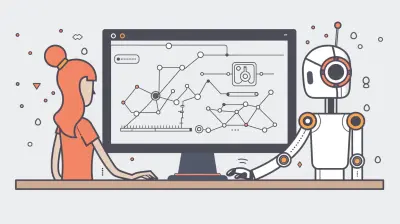
Next-Gen Scheduling Tech for Global Remote Teams
1 September 2026

The promise of the global remote team was always freedom. Freedom from the commute, from the nine-to-five grind, and from the geographic limitations of a local talent pool. But that freedom came with a hidden tax: the scheduling nightmare. For years, coordinating a meeting between a developer in Lisbon, a designer in Bangkok, and a product manager in San Francisco has been a brutal exercise in mental math, calendar Tetris, and passive-aggressive email threads. We have all been there, staring at a Doodle poll that looks like a Jackson Pollock painting of conflicting time zones.
The old tools were not broken; they were just inadequate. They digitized the process of asking "when are you free?" but did nothing to solve the underlying problem of when that actually is for everyone involved. The next generation of scheduling technology is not about incremental improvements to the calendar invite. It is a fundamental shift toward automation, intelligence, and context-awareness. This is about software that understands the nuance of time zones, the weight of deep work, and the reality of asynchronous collaboration. Let us look at what is actually changing and how to use it without losing your mind.
The Death of the "Poll" and the Rise of the "Scheduling AI"
The classic scheduling poll was a necessary evil. You sent out a list of times, people clicked their availability, and the organizer played referee. The problem is that this process is inherently synchronous. It requires everyone to stop what they are doing, check their calendar, and respond within a specific window. It also treats all time slots as equal, which is a massive error.
Next-gen scheduling tools are moving away from this model. They are built around the concept of the "scheduling AI" that acts as a proactive agent rather than a passive form. Instead of asking a group to fill out a form, you forward an email or send a command to a bot. The AI checks the invitees' calendars, analyzes their time zones, and proposes a shortlist of optimal times. It does not just avoid conflicts; it understands context. It knows that your lead engineer has a "focus time" block at 10 AM and will not suggest a meeting then. It knows that your client in Tokyo prefers not to meet at 8 PM their time, even if they are technically "available."
The key differentiator here is the shift from a "pull" model to a "push" model. You are no longer pulling availability information from people. The software is pushing a solution to them. This saves a massive amount of cognitive load. For a team of ten, this can save hours per week that were previously spent on calendar management.
Time Zone Intelligence: More Than Just a Number
Most calendar apps can show you that 2 PM in New York is 8 PM in Berlin. That is not intelligence; that is basic arithmetic. The next generation of scheduling tech goes far deeper. It understands the shape of a workday, not just the numbers on a clock.
Consider the "golden hours" concept. A good scheduling AI will not just look at the 9-to-5 window. It will analyze historical meeting data to identify when a specific team or individual is most productive and collaborative. For one team, that might be late morning in their time zone. For another, it might be right after lunch. The system learns these patterns and biases its suggestions toward them.
More importantly, it handles the "overlap problem" intelligently. In a global team, the overlap window between the East Coast US and Southeast Asia is narrow, often just a couple of hours in the early morning or late evening. A naive tool will just pick a time in that window. A smart tool will recognize that this is a precious resource and will actively discourage its use for low-stakes, status-update meetings. It will suggest using asynchronous tools for that kind of communication and reserve the overlap time for high-stakes, high-interaction sessions like design reviews, brainstorming, or 1:1s.
This is a crucial distinction. The best scheduling tech is not trying to make it easier to have meetings. It is trying to make meetings rarer and more valuable. It acts as a gatekeeper, forcing you to consider whether a synchronous meeting is even necessary before you book one.
The Asynchronous-First Paradigm
The biggest misconception about remote work is that it is about video calls. The most effective remote teams are actually asynchronous-first. They write things down, they record Loom videos, and they collaborate on documents. The next-gen scheduling tools are starting to reflect this reality.
This means scheduling software is no longer just about booking a time slot. It is about managing a "response deadline." Instead of saying "Let's meet at 3 PM," the tool might help you set up a "decision deadline" on a document. It will automatically nudge people to provide input by a certain time, regardless of their location. This is a form of scheduling that does not involve a calendar at all.
For example, a tool might integrate with your project management software to automatically schedule a "review window" for a design mockup. It knows that the design is ready for review and that it needs sign-off from three stakeholders. It automatically creates a task on their boards with a deadline, and it sends reminders. It does not care if they are in different time zones because they are not expected to be online at the same time.
This is where the real productivity gains are. By moving the "scheduling" from the temporal domain to the task domain, you eliminate the need for coordination entirely. The software is not asking "when are you free?" It is asking "when can you get this done?" This is a far more respectful and efficient question.
Integration is the New Killer Feature
The old way of scheduling was a standalone app that you used to send links. The new way is a deeply embedded layer within your entire tech stack. The best tools are not just calendars; they are the connective tissue between your email, chat, project management, and CRM.
The power of this integration is in the automation of pre-meeting and post-meeting logistics. Imagine this: you book a sales call with a prospect. The scheduling tool automatically creates a Slack channel for the meeting, pulls in the relevant files from your team's cloud drive, and shares a collaborative agenda document. After the meeting, it automatically logs the notes to your CRM, creates a follow-up task, and sends a thank-you email. This is not just about saving time on the "booking." It is about creating a seamless workflow that surrounds the meeting itself.
For remote teams, this integration is critical because it reduces the number of context switches. You do not have to go to a separate app to book a meeting, then switch to your chat app to discuss it, then switch to your project tracker to log the action items. The scheduling tech orchestrates all of this in the background. When evaluating tools, you should not ask "does it have a nice interface?" You should ask "how well does it play with my existing stack?" A tool that has deep, native integrations with Slack, Notion, and Salesforce is worth ten times more than a tool with a prettier UI but shallow integrations.
Practical Trade-offs: The Cost of Convenience
This all sounds fantastic, but there is a cost. The primary cost of next-gen scheduling is a loss of control and transparency. When an AI is making decisions for you, it is easy to feel like you are not in the loop. You might wonder why it suggested a certain time. You might feel that it is making assumptions about your work style that you do not agree with.
This is a legitimate concern. The best tools are highly configurable, allowing you to set strict "buffer times" around meetings, define your ideal deep work hours, and even specify that you prefer meetings on Tuesdays and Thursdays. However, configuration takes time. You have to invest in teaching the AI your preferences. If you do not, it will just use generic defaults, which might not be optimal for you.
There is also the "automation trap." When booking a meeting becomes too easy, you might book more of them. The friction of manual scheduling was a natural barrier to unnecessary meetings. If a tool can find a time for five people in two seconds, you might be tempted to schedule that meeting just because it is easy. This is a mistake. The best scheduling tools are the ones that also help you decide if you should meet, not just when.
Common Mistakes and Misconceptions
One of the biggest mistakes teams make is using a single scheduling tool for all types of meetings. A 15-minute sync between two engineers is very different from a 2-hour strategic planning session with external consultants. Using the same rules for both is a recipe for failure. You need to define "meeting types" in your tool and apply different scheduling policies to each. For internal quick syncs, you might allow the AI to auto-book any available slot. For external client meetings, you might require manual approval before anything is sent.
Another common misconception is that "good scheduling" means "finding the earliest possible time." This is almost always wrong. The goal is not speed; it is quality. A meeting held when participants are fatigued or rushed is a waste of time. The goal of scheduling is to find a time when all participants can be mentally present. This often means scheduling meetings later in the day, or even on a different day, to accommodate different time zones and energy levels.
The Human Element: Handling the "Time Zone Tax"
There is an unspoken rule in global teams: the person in the "weirdest" time zone always pays the tax. If you are in Sydney and the rest of the team is in London, you are the one who has to take the 10 PM call. This is a fast track to burnout. Next-gen scheduling tech can help mitigate this, but it cannot solve it alone.
The technology can help by ensuring that the burden is shared. It can track who has had to take early-morning or late-night calls and adjust future scheduling to compensate. For example, if you had a 7 AM call on Monday to accommodate the US East Coast, the system might block you from taking any calls before 9 AM for the rest of the week. This is a "scheduling fairness" feature that is becoming more prevalent.
However, the real solution is cultural. The tech is just a tool. The leadership of the remote team needs to establish a policy. This means explicitly stating that no one is expected to attend meetings outside of their core working hours, and that if a meeting is inconvenient, they are empowered to decline or request a shift. The technology can provide the data to support this policy, but it cannot enforce it.
Best Practices for Implementation
So, how do you actually implement this without causing chaos? Here is a practical playbook.
First, audit your current meeting culture. For two weeks, track every meeting you have. Ask: Was this meeting necessary? Could it have been an async message? What was the cost of scheduling it? You will likely be shocked by the amount of waste.
Second, standardize your meeting types. Define what a "Sync" is vs. a "Workshop" vs. a "Review." Each type should have a default duration, a default set of attendees, and a default scheduling policy. This removes decision fatigue.
Third, invest time in configuration. Spend at least an hour with your scheduling tool of choice to set up your working hours, your buffer times, and your focus blocks. Do not treat it as a plug-and-play solution. The more you configure it, the smarter it becomes.
Fourth, adopt a "culture of the written word." Encourage your team to write detailed agendas and pre-reads. A well-prepared team can cut meeting time in half. The scheduling tool should be used to ensure that everyone has time to read the pre-read before the meeting, not during it.
Finally, review your scheduling data monthly. Look at the reports. Are you still meeting too much? Are there recurring meetings that have no clear purpose? Are people consistently declining invitations? Use this data to make adjustments. This is not a set-and-forget system. It requires continuous tuning.
The Future: Predictive Scheduling and the "Draft" Meeting
Looking ahead, the next frontier is predictive scheduling. This is where the software does not just react to your requests, but proactively suggests meetings you might need to have. For example, if it notices that a project is falling behind schedule, it might suggest a "risk mitigation" meeting with the relevant stakeholders. If it sees that a client has not been contacted in a while, it might suggest a check-in call.
This is a significant step up from the "reactive" automation of today. It moves scheduling from a logistical task to a strategic one. The AI becomes a project manager's assistant, not just a calendar clerk. The "draft" meeting will also become more common. You might see a placeholder on your calendar for "Project Phoenix Review" with a tentative time, but the AI will adjust it automatically as other deadlines shift, ensuring that the meeting always happens at the most opportune moment relative to the project timeline.
This is powerful, but it requires a high level of trust in the system. You have to be willing to let go of manual control. For many teams, this will be a step too far. But for high-performing, globally distributed teams that want to focus on outcomes rather than logistics, it is the logical conclusion of this evolution.
Conclusion: Stop Scheduling, Start Working
The goal of next-gen scheduling tech is not to make your calendar prettier. It is to make your calendar disappear as a source of friction. The best tools are the ones you do not think about. They are the ones that quietly work in the background, ensuring that the right people are in the right room (virtual or physical) at the right time, and just as importantly, that they are not in a room when they should be working.
The shift is from "finding a time" to "optimizing for focus." The technology is a powerful enabler, but it is only as good as the team culture that uses it. You cannot automate your way out of a toxic meeting culture. You have to fix the culture first, and then use the tech to enforce the new norms.
The future of work is not about being busy. It is about being effective. And being effective starts with respecting everyone's time, regardless of what time zone they happen to be in. The new tools give us the power to do exactly that. The only question is whether we are smart enough to use them.
all images in this post were generated using AI tools
Category:
Tech For Remote WorkAuthor:

Ugo Coleman
Discussion
rate this article
2 comments
Uzi Brown
Scheduling for global teams is like herding cats... with jetpacks! Next-gen tech is the magic wand we need to make time zones feel like a friendly neighborhood rather than a maze. Let's hope it comes with a built-in coffee maker for those late-night meetings!
September 3, 2026 at 3:52 AM
Bradley Meyers
This is exciting! As remote teams grow globally, efficient scheduling tools can really change the game. Can't wait to see how this tech makes collaboration smoother and more fun!
September 1, 2026 at 1:03 PM
Ugo Coleman
Thanks for your enthusiasm! I'm excited too to see how these tools enhance collaboration across borders. Stay tuned for more insights!