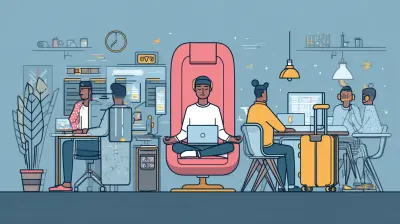
The Future of Updates: Will Operating Systems Become Invisible?
3 August 2026
For decades, the operating system has been the most visible piece of software on any computer. You see it when you boot up, when you install programs, when you troubleshoot errors, and when you curse the update notification that pops up at the worst possible moment. The OS is the gatekeeper, the foundation, the thing you blame when things go wrong. But a quiet shift is happening. Updates are getting smaller, faster, and more automated. Systems are moving to the cloud. Hardware is becoming more standardized. And the question that looms is simple: will the operating system eventually fade into the background so completely that we stop noticing it exists?
The short answer is yes, but not in the way most people imagine. The OS is not going to disappear. It is going to become infrastructure, like electricity or plumbing. You will not think about it until it breaks. And when it does break, you will not fix it yourself. You will wait for someone else to fix it remotely. That is a fundamentally different relationship than the one we have had with our computers for the last forty years.

The Historical Weight of the Operating System
To understand where we are going, you have to understand where we came from. In the early days of personal computing, the operating system was the product. You bought a copy of MS-DOS or, later, Windows, and you installed it on hardware you assembled yourself. The OS defined what you could do. If you wanted to play a game, you checked whether it supported your OS. If you wanted to use a printer, you installed a driver written specifically for your OS version. The OS was a walled garden, and you lived inside it.That model created a certain kind of user. People became experts in their own OS. They knew how to edit the registry, how to reinstall drivers, how to defragment a hard drive. This was not because they were tech enthusiasts by nature. It was because the system demanded it. Updates were manual. You had to download them, run them, and often reboot. If something went wrong, you had to fix it yourself or pay someone else to do it. The OS was a constant presence, a tool you had to master.
Then came smartphones, and everything changed. Apple and Google designed their mobile operating systems to be updated over the air, with minimal user intervention. The update process became a notification, then a download, then a reboot. Users did not need to know what was changing. They just woke up one day with a slightly different interface. This was a massive shift in user expectation. People stopped thinking of the OS as something they owned and started thinking of it as something that happened to them.

The Cloud Is Not the OS, But It Is Eating It
The biggest force pushing operating systems toward invisibility is the cloud. When your documents, photos, and applications live on remote servers, the local OS becomes less important. You do not care what filesystem your phone uses if your photos are synced to a server somewhere. You do not care about local storage optimization if your email is in a browser tab. The OS becomes a thin layer that connects you to the network.This is already happening in enterprise environments. Companies like Google and Microsoft offer virtual desktops that run entirely in the cloud. Employees log in from a thin client, which is basically a monitor with a keyboard and a network connection. The actual computing happens on a server. The operating system on that server is invisible to the employee. They do not update it. They do not configure it. They do not even know what version it is. It just works, until it does not.
The trade-off here is obvious and important. Cloud-based systems require a reliable, high-bandwidth connection. If your internet goes down, so does your work. This is not acceptable for every use case. Pilots cannot rely on a cloud-based flight management system. Surgeons cannot wait for a remote server to respond during a procedure. There will always be a need for local computing power, which means there will always be a need for a local operating system. But for a huge portion of everyday computing, the cloud is already the primary environment, and that portion is growing.
The Update Problem Is a Trust Problem
Let us be honest about updates. They are not just a technical issue. They are a trust issue. Every time an operating system updates, it changes the rules of the game. It might change the interface, remove a feature you relied on, or introduce a bug that breaks your workflow. Users have learned to be suspicious. That is why so many people delay updates. They would rather live with a known vulnerability than risk an unknown breakage.This is a rational response, and it is one that OS vendors have not fully addressed. The industry has tried to solve this with forced updates, but that creates resentment. Microsoft learned this the hard way with Windows 10, which was notorious for restarting computers at inconvenient times to install updates. Apple has been more gentle, but still pushes updates aggressively. The result is a constant low-level anxiety among users. No one wants to be the person whose computer restarts in the middle of a presentation.
The path to invisibility requires solving this trust problem. That means updates need to be non-disruptive, reversible, and nearly instantaneous. Some systems are already moving in this direction. ChromeOS updates in the background and applies changes on the next reboot. The reboot itself takes less than ten seconds because the system is designed to be stateless. Linux systems with atomic updates, like Fedora Silverblue, can roll back to a previous version if something goes wrong. These are the models that will eventually dominate, because they remove the user from the decision loop entirely.
The Rise of the Stateless Client
Here is a concept that will become central to the future of computing: the stateless client. This is a device that holds no permanent state. All of its configuration, applications, and data are fetched from the network at boot time. If the device breaks, you replace it with a new one, and it becomes identical to the old one within minutes. There is nothing to migrate, nothing to back up, nothing to lose.This is not science fiction. Chromebooks are already close to this model. They are designed to be disposable. If you lose one, you buy another, log in, and all your settings and files are there. The operating system is not something you manage. It is something that is delivered to you. The update process is invisible because there is nothing local to update. The OS is just a bootloader and a browser.
The downside of the stateless model is that it requires a lot of trust in the provider. You are giving up control over your own device. You cannot install arbitrary software. You cannot modify the system. You are a tenant, not an owner. This is fine for many people, but it is a non-starter for developers, researchers, and anyone who needs to do something unconventional with their hardware. The stateless model will not replace traditional computing. It will coexist with it, and the line between the two will blur.
The Role of Containerization and Virtualization
Some of the most interesting developments in operating systems are happening at the level below the OS. Containerization, popularized by Docker and Kubernetes, allows applications to run in isolated environments that share the host kernel. This means you can run an application with its own dependencies, its own libraries, and its own configuration, without affecting the rest of the system. The application does not care what OS is underneath, as long as the container runtime is present.This is a huge deal for the future of updates. If applications are containerized, then updating the OS becomes less risky. The OS can change underneath, and the containers will still run. The reverse is also true. You can update individual containers without touching the OS. This decoupling is essential for making updates invisible. When you do not have to worry about breaking the applications you depend on, you can update the OS more frequently and more aggressively.
Virtualization takes this a step further. With virtual machines, you can run an entire OS inside another OS. This is how many enterprise servers work. The host OS is invisible to the guest OS. If you want to update the host, you can do it while the guests are still running. The guests never know the difference. This is not a model for everyday users, but it is a model for the infrastructure that everyday users depend on. When you stream a video, you are probably hitting a server that is running a virtual machine on a host OS that you will never see.
The Consumer Reality: Phones Are the Template
If you want to predict the future of desktop operating systems, look at your phone. Smartphones have already achieved a level of OS invisibility that desktops have not. You do not think about the Android version or the iOS version. You think about apps. The OS is a background process that manages the hardware and the app store. Updates happen automatically, usually at night, and you find out about them in the morning.The reason this works on phones is that the hardware is tightly controlled. Apple makes the phone and the OS. Google has a closer partnership with hardware makers than Microsoft ever had with PC vendors. This allows for a level of integration that is impossible on the open PC market. When the hardware is standardized, the OS can be optimized. When the OS is optimized, updates can be smaller and less disruptive.
This is the direction desktop operating systems are heading. Apple has already moved its Mac lineup to its own silicon, which gives it the same level of control it has over the iPhone. Microsoft is trying to do something similar with its Windows on ARM initiative, though with less success. The days of the generic PC with interchangeable parts are numbered. The OS is becoming a piece of the hardware, not a separate layer. When that happens, updates become firmware upgrades, and firmware upgrades are invisible by nature.
The Hidden Cost of Invisible Updates
It would be naive to talk about invisible operating systems without addressing the costs. The first is loss of control. When the OS updates itself without your input, you are trusting the vendor to make the right decisions. That trust is not always warranted. Vendors have been known to remove features, change privacy settings, or introduce telemetry that users do not want. If the update is invisible, you may not even know it happened, let alone have a chance to object.The second cost is complexity. An invisible OS is not a simpler OS. It is a more complex system that hides its complexity. This is fine when it works, but it creates a larger attack surface. If the OS is updating itself automatically, it needs to have the ability to download and execute code. That is a powerful capability that can be abused. The more the OS does on its own, the more damage a compromised OS can do.
The third cost is the loss of the tinkerer. The people who build the future of computing are often the people who break things. They install custom ROMs, they compile their own kernels, they write their own drivers. If the OS becomes a sealed black box, those people lose their playground. This is not just a nostalgic concern. The open nature of early personal computing is what created the modern tech industry. If we close that off in the name of convenience, we may be closing off the source of future innovation.
The Enterprise Angle: Updates as a Service
In the enterprise, the conversation is different. Companies do not want to manage operating systems at all. They want to rent them. This is why Microsoft has been pushing Windows 365, which is essentially a streaming service for Windows. You do not run Windows on your device. You stream it from a server. The server handles all the updates, all the security patches, all the configuration. Your device is just a display.This model has huge advantages for IT departments. They can deploy a new employee with a single login. They can enforce security policies centrally. They can roll back a bad update without touching the user's device. The OS becomes a utility, like electricity. You do not think about how it is generated. You just plug in and use it.
But this model also has a dark side. It makes you completely dependent on the vendor. If Microsoft decides to change the pricing, you have no choice but to accept it. If the vendor's servers go down, your entire workforce is idle. If the vendor decides to collect data from your sessions, you have no way to stop it. The enterprise is trading flexibility for convenience, and that is a trade-off that will come back to bite some companies.
The Open Source Counterweight
Open source operating systems, particularly Linux, represent the opposite philosophy. They are not going to become invisible in the same way because they are not going to be controlled by a single vendor. Linux updates are still manual in many cases. You run a package manager, you see what is changing, and you decide whether to install it. This is a feature, not a bug. It keeps the user in the loop.But Linux is also moving toward the cloud and the container model. The most popular Linux distributions for servers are already managed through automation tools like Ansible and Terraform. The OS is a disposable layer that can be rebuilt at any time. In that sense, Linux is becoming invisible too, but in a different way. It is invisible because it is reproducible, not because it is hidden.
The lesson here is that invisibility is not a single destination. There are multiple paths. One path is the consumer path, where the vendor hides the OS from the user. Another path is the infrastructure path, where the OS becomes a commodity that is managed by machines, not by humans. Both paths lead to a world where the OS is not a daily presence in your life. But they have very different implications for control, security, and innovation.
What Will Actually Happen
Let me give you my honest prediction, based on how the industry has evolved and where the incentives lie. Over the next ten to fifteen years, the operating system will become invisible for the majority of users. Most people will interact with their computers through a browser or a thin client. Their local device will be a stateless terminal that connects to cloud services. The OS on that terminal will be a minimal bootloader, and it will update itself without asking.For power users, developers, and enterprises with specific needs, the traditional OS will still exist, but it will be a niche. It will be like a manual transmission car. You can still buy one, but you have to seek it out. The default will be automatic.
The biggest obstacle to this future is not technical. It is cultural. We have spent forty years teaching people that they own their computers. That they are in control. That they can customize, tweak, and fix. The next generation will not have that expectation. They will expect the computer to just work, and they will not care what is underneath. That is not necessarily a bad thing. But it is a loss of something that was valuable, and we should not pretend it is not.
Practical Advice for Navigating the Transition
If you are reading this, you are probably someone who cares about technology. You are not a passive consumer. So here is some practical advice for navigating the transition to invisible operating systems.First, do not fight the trend, but do not surrender to it either. Use the automatic updates. They are generally good for security. But keep an eye on what is changing. Read the release notes, at least the summary. Know what features are being added and removed. This takes ten minutes a month and will save you from unpleasant surprises.
Second, maintain one device that you fully control. It can be an old laptop running Linux, or a desktop with a custom build. This is your laboratory. This is where you can break things, learn, and experiment. When the rest of your life is managed by invisible systems, this one device will keep your skills sharp and your understanding deep.
Third, be skeptical of any vendor that promises seamless, invisible updates. Seamless is good. Invisible is a red flag. If you cannot see what is changing, you cannot audit it. Ask for transparency. Ask for changelogs. Ask for the ability to roll back. If the vendor does not offer these things, they are not treating you as a customer. They are treating you as a user, and there is a difference.
Fourth, understand the trade-offs of the cloud. It is convenient, but it is not free. You are paying with data, with control, and with resilience. Make a conscious decision about what you are willing to trade. For some things, like email, the trade is worth it. For other things, like your personal photo archive, you might want to keep a local copy.
The Final Verdict
Will operating systems become invisible? Yes, for most people. But invisibility is not the same as disappearance. The OS will still be there. It will still be a complex piece of software with bugs, vulnerabilities, and design flaws. It will still need updates. The difference is that you will not be the one managing those updates. You will be the one benefiting from them, or suffering from them, without knowing why.This is not a utopia, and it is not a dystopia. It is just a change. Every technology eventually becomes invisible as it becomes mature. Electricity is invisible. The internal combustion engine is invisible. The internet is almost invisible. The operating system is next. The question is not whether it will happen. The question is whether we will be ready for what we lose when it does.
all images in this post were generated using AI tools
Category:
Operating SystemsAuthor:

Ugo Coleman
Discussion
rate this article
1 comments
Daniel Nguyen
Exciting idea! Invisible updates could enhance user experience significantly.
August 14, 2026 at 3:06 AM
Ugo Coleman
Thanks! I'm glad you find the idea exciting. Invisible updates could really change how we interact with our devices.