Managing Multiple Time Zones with Next-Gen Productivity Apps
23 August 2026
Let me guess. You just wrapped up a video call at 11 PM that could have been an email. Your calendar shows a meeting that starts at 8 AM your time, which is 2 AM in Tokyo, and someone had the nerve to ask why you looked tired. You are not alone. Working across time zones used to be a niche problem for airline pilots and overseas sales reps. Now it is the default condition for anyone whose Slack channel includes the phrase "per my last message" from a colleague in Berlin.
The tools we use to manage this chaos have gotten smarter, but the chaos has gotten smarter too. The old way was to keep a spreadsheet of world clocks and pray. The new way involves AI assistants, smart scheduling, and apps that know more about your sleep cycle than your partner does. But here is the thing: most people are using these tools wrong. They treat them like fancy alarm clocks instead of strategic systems. This article is about fixing that.

Why Your Current Setup Is Failing You
Before we talk about solutions, let us diagnose the problem. If you are constantly missing deadlines, double-booking yourself, or sending emails at 3 AM because you forgot your coworker in Sydney exists, your issue is not a lack of effort. It is a lack of context.Most productivity apps treat time zones as a static label. They show you a clock that says "London: 14:00" and expect you to do the mental math. That works fine until daylight saving time kicks in, or until your client in Arizona decides to follow a completely different schedule than the rest of the country. The real problem is that time zones are not just numbers. They are social constructs, political decisions, and sometimes outright absurdities. India is 30 minutes off from its neighbors. Nepal is 45 minutes off. China, despite spanning five geographic time zones, runs on one single time for the entire country. If you are scheduling a call with someone in Xinjiang, the app needs to understand that their local noon is not your local noon, even if the clock says the same thing.
The next generation of productivity apps tries to solve this by doing the heavy lifting for you. But you still need to know what to look for, and more importantly, what to avoid.

The Core Features That Actually Matter
Not all time zone features are created equal. Some are gimmicks. Some are genuinely life-changing. Here is what you should actually care about.Smart Scheduling That Understands Working Hours
The most basic feature you need is a scheduler that knows when people are actually available. Not just their 9-to-5, but their real working hours. A good app will let you set your own boundaries and then respect them when proposing meeting times. If you are in New York and your colleague is in Singapore, the app should not suggest a slot that is 2 AM for either of you, unless you explicitly allow it.But here is the nuance. Working hours are not universal. Some people in tech prefer to start at 10 AM and work until 7 PM. Others are night owls who are most productive at midnight. The best apps let you define custom schedules for different days of the week, and they also let you set "buffer zones" around meetings so you are not jumping from one call to another without a bathroom break.
What you should avoid are apps that hardcode 9-to-5 as the default and make you fight the interface to change it. If the app assumes you work Monday through Friday, 9 AM to 5 PM, and you actually work Tuesday through Saturday, 11 AM to 8 PM, you are going to end up with meetings at terrible times.
Time Zone Overlays That Show Everyone's Local Time
A good overlay is not just a row of clocks. It is a visual representation of the overlap between your team's schedules. Some apps show a 24-hour bar with colored blocks for each person's working hours. You can see at a glance that the only overlap between your team in San Francisco and your team in Bangalore is between 5 PM and 7 PM your time. That is the window for your daily standup, and you should protect it fiercely.The mistake most people make is trying to find a meeting time that works for everyone. That is a fool's errand. If you have people in four different continents, there is no perfect time. There is only the least bad time. The goal is to minimize the pain, not eliminate it. A good overlay helps you see the least bad time quickly, instead of manually checking each person's local time in your head.
Automatic Time Zone Detection for Events and Emails
This is where the next-gen apps really shine. When you receive an email that says "let's sync at 3 PM," the app should automatically convert that to your local time, and it should also detect the sender's time zone from their email header or signature. If they are in a different time zone, the app should flag it and ask if you want to add it to your calendar.The tricky part is ambiguity. If someone says "let's meet at 3 PM" without specifying a time zone, the app has to guess. The best apps will ask you to confirm, rather than silently assuming the sender's time zone is the same as yours. This might seem obvious, but you would be surprised how many calendar invites are created with the wrong time zone because the app just used the default.
Location-Based Reminders and Travel Support
If you travel for work, this is a game changer. The app should know when you are in a different time zone and adjust your reminders accordingly. If you land in London and your calendar says "meeting at 10 AM," the app should remind you at 10 AM London time, not 10 AM your home time. This sounds simple, but many apps still get it wrong because they tie reminders to your device's time zone, which might not update immediately upon landing.Some advanced apps go further. They can suggest when to leave for a meeting based on traffic, and they can even adjust your schedule to account for jet lag. That is a feature you should treat with skepticism. Jet lag is not a simple math problem. You cannot just add a few hours of sleep and call it good. The app might suggest you take a nap at a certain time, but your body might have other ideas. Use these features as gentle suggestions, not as gospel.

The Best Apps in the Market Right Now
I am not going to give you a list of every app that exists, because most of them are not worth your time. Instead, let us talk about the ones that have earned their reputation, and what they do well.Calendly and Its Smart Scheduling
Calendly is the most popular scheduling tool, and for good reason. It integrates with your calendar, lets you set availability windows, and automatically converts time zones for invitees. The killer feature is the "round robin" option, which distributes meetings among a team. If you have a sales team in different time zones, Calendly can route a lead to the person who is currently awake and available. That is a huge advantage over manually checking who is online.The downside is that Calendly is only as good as the availability you set. If you do not update your working hours regularly, it will suggest times that are terrible for you. Also, Calendly does not handle recurring meetings across time zones particularly well. If you set up a weekly meeting with someone in a different zone, and then daylight saving time changes in one country but not the other, Calendly might not adjust automatically. You need to check your meetings manually after the time change.
Clockwise and Its AI-Powered Scheduling
Clockwise is a different beast. It is designed for teams that live in their calendars. It uses AI to analyze your tasks, meetings, and focus time, and then it rearranges your schedule to create blocks of uninterrupted work. For time zone management, it has a feature called "Smart Meeting" that suggests times based on the working hours of all participants. It also automatically shifts meetings when someone's schedule changes, which is a lifesaver if you have a colleague who keeps moving things around.The trade-off is that Clockwise requires a lot of trust. You are letting an algorithm move your meetings. That can be unnerving, especially if you have a meeting that is time-sensitive, like a court hearing or a live broadcast. You need to set strict rules about which meetings cannot be moved. If you do not, the AI might shuffle something important to a weird time.
World Time Buddy and Its Simplicity
Sometimes you do not need AI. You just need a clean, fast way to compare times. World Time Buddy is a web app that does exactly that. You add cities, and it shows you a grid of times side by side. It is perfect for when you are on a call and someone says "let's schedule for next Tuesday at 10 AM your time" and you need to quickly figure out what that means for you.The limitation is that it is not integrated with your calendar. It is a reference tool, not a management tool. You still have to manually create the event and hope you got the time right. But for quick checks, it is unbeatable. I keep it open in a browser tab at all times.
Fantastical and Its Natural Language Parsing
Fantastical is a calendar app that excels at natural language input. You can type "Lunch with Sarah next Friday at 1 PM in Berlin" and it will parse that, create the event, and automatically convert the time to your local zone. It also has a feature called "Time Zone Support" that lets you view your calendar in multiple time zones simultaneously. This is useful if you are planning a trip and want to see how your schedule looks from the destination's perspective.The downside is that Fantastical is Mac and iOS only. If you are on Windows or Android, you are out of luck. Also, its natural language parsing is great, but it still makes mistakes. If you type "next Friday" and it is currently Thursday, does "next Friday" mean tomorrow or a week from tomorrow? The app has to guess, and sometimes it guesses wrong. Always double-check the date before you hit save.
Common Mistakes That Ruin Time Zone Management
Even with the best tools, people still mess up. Here are the most common mistakes I see, and how to avoid them.Mistake One: Relying on Your Phone's World Clock
Your phone has a world clock app. It shows you the time in different cities. That is fine for a quick check, but it is not a system. The problem is that it does not account for holidays, working hours, or the fact that your colleague in Dubai works Sunday through Thursday, not Monday through Friday. If you rely on the world clock, you will eventually schedule a meeting on a day when the other person is off work.Mistake Two: Assuming Daylight Saving Time Is the Same Everywhere
Daylight saving time is a mess. Not every country observes it. The United States and Europe change their clocks on different dates. Australia changes in October, not March. Brazil abolished it in 2019. If you are scheduling a recurring meeting, you need to check whether the time difference changes during the year. A meeting at 9 AM New York time might be 3 PM in Berlin during the summer, but 2 PM in the winter. If your app does not handle this automatically, you need to manually adjust the meeting time twice a year.Mistake Three: Not Setting Clear Communication Norms
This is not a technology problem, but it is the biggest cause of time zone pain. If your team does not have clear rules about response times, you will end up with people checking email at midnight because they are worried about missing something. Set expectations. If someone sends a message outside your working hours, it is okay to respond the next day. Use status indicators like "Do Not Disturb" or "In a Different Time Zone" to signal your availability. And for the love of everything, do not send a Slack message at 2 AM and then follow up with "?" at 2:05 AM. That is how you get muted.Mistake Four: Using a Single Time Zone for Everything
Some companies try to simplify things by declaring "all meetings are in Pacific Time" or "we use UTC for everything." That works if everyone is in the same time zone. If you are not, it is a recipe for disaster. People will forget to convert, or they will convert incorrectly, or they will just show up at the wrong time. The best practice is to always specify the time zone in the meeting invitation, and to use the local time of the person you are meeting with. If you are the one scheduling, put the time in their time zone. If you are the one receiving, convert it to yours. Do not make everyone do mental math.The Future of Time Zone Management
The next few years are going to bring some interesting changes. AI assistants are getting better at understanding context. They will eventually be able to look at your emails, your calendar, and your team's working patterns, and then proactively suggest the best time for a meeting without you having to ask. They might even be able to negotiate with other AI assistants on behalf of other people, automatically finding a slot that works for everyone.But there is a risk. The more we rely on AI to manage our schedules, the less control we have. If the AI makes a mistake, you might not notice until you are sitting in an empty meeting room. You need to keep a human in the loop. Check your calendar every morning. Look at the upcoming meetings and verify that the times make sense. If something looks off, fix it before it becomes a problem.
Another trend is the move toward asynchronous work. Tools like Loom and Twist allow teams to communicate without being online at the same time. This reduces the need for real-time meetings, which in turn reduces the pain of time zone coordination. But asynchronous work has its own challenges. You need to be disciplined about documenting decisions and sharing context. If you just send a video message and assume everyone watched it, you are going to have problems.
Practical Tips for Immediate Improvement
Let us end with some actionable advice. You can implement these today, without buying any new software.First, audit your current calendar. Look at the next two weeks and identify every meeting that involves someone in a different time zone. For each one, ask yourself: Does this need to be a live meeting? Could it be an email or a recorded video? If it must be live, is the time fair to everyone? If you are always the one who has to wake up at 6 AM or stay up until 10 PM, you need to rotate the pain. Do not let one person always bear the burden.
Second, set your working hours in every app you use. This includes your calendar, your messaging app, and your email client. Most apps have a setting for this. Use it. It tells other people when you are available, and it tells the apps when they should not send you notifications. If you do not set this, the apps will assume you are always available, and you will burn out.
Third, create a shared team document that lists everyone's time zone, working hours, and preferred meeting windows. This sounds old-school, but it works. It is a single source of truth that everyone can reference. Update it whenever someone changes their schedule or moves to a different city. Make it a living document, not a static one.
Fourth, when you schedule a meeting, always include the time zone in the invitation. Do not just say "3 PM." Say "3 PM Eastern Time." And if the other person is in a different zone, put their local time in the body of the invitation as well. This prevents confusion and makes it easy for everyone to see the time in their own zone.
Fifth, use the "suggested times" feature in your scheduling app, but do not blindly accept it. The app might suggest a time that is technically within everyone's working hours, but it might be right after lunch for one person and right before the school run for another. Think about the context. If you are scheduling a brainstorming session, you want everyone to be alert. If you are scheduling a status update, you can be more flexible.
The Bottom Line
Managing multiple time zones is not about finding the perfect app. It is about building a system that respects people's time and energy. The apps are just tools. They can help you see the landscape, but they cannot make the decisions for you. You need to be intentional about how you schedule, how you communicate, and how you set boundaries.The next-gen productivity apps are genuinely useful, but they are not magic. They will not fix a team that refuses to communicate, or a manager who expects everyone to be available 24/7. They will, however, remove the friction that comes from manual time zone math. They will show you the overlaps and the gaps. They will remind you when someone is about to go offline. They will save you from the embarrassment of showing up to a meeting an hour early because you forgot about daylight saving time.
Use them wisely. Set your boundaries. Rotate the inconvenient times. And for the love of your sleep schedule, turn off notifications after your working hours. Your future self will thank you.
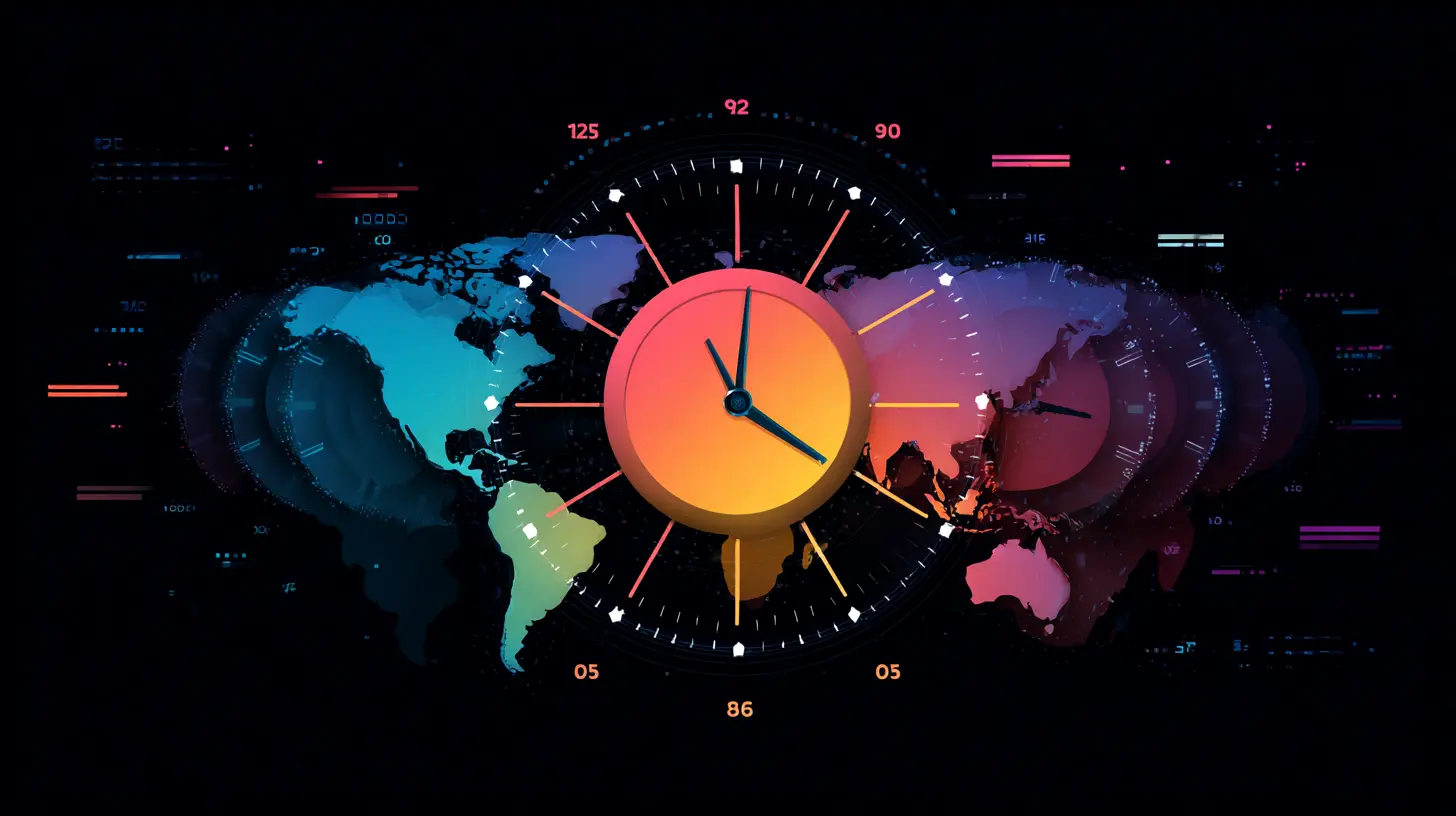
all images in this post were generated using AI tools
Category:
Digital Nomad TechAuthor:

Ugo Coleman
Discussion
rate this article
1 comments
Carina Becker
Great insights on tackling time zone challenges with these new productivity apps. The features highlighted seem to streamline scheduling and improve collaboration across teams. Looking forward to trying them out!
September 4, 2026 at 2:46 AM
Ugo Coleman
Thanks for the feedback! I'm glad you found the insights helpful. Hope you enjoy trying out the apps!